Look inside
A peek at 3 of the 16 pages. Every example frame comes from one real 25-second ad, no stock mockups.
Make product videos with Claude that don't look AI-made. My simple 6-step process, from a blank page to a smooth MP4 and an editable After Effects project.
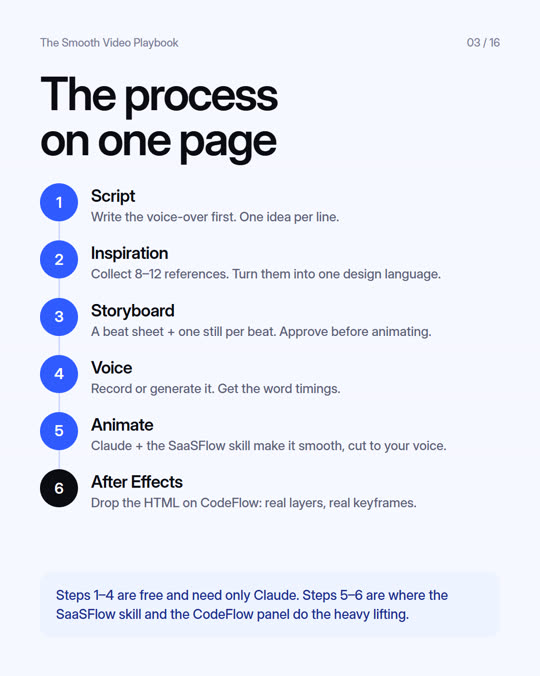
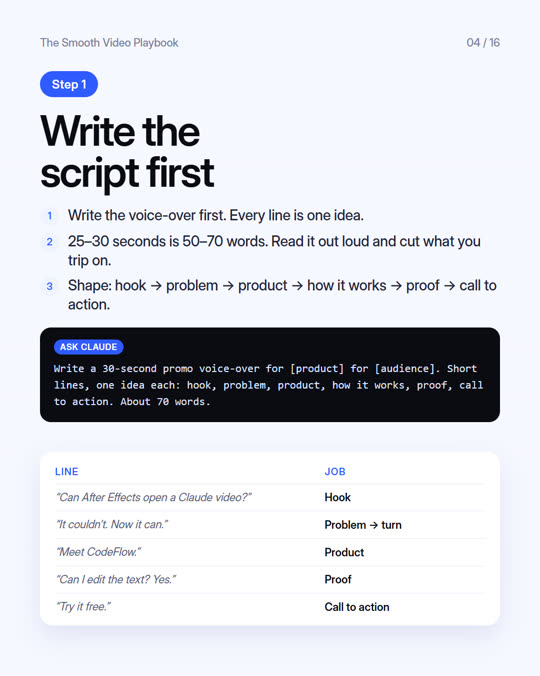
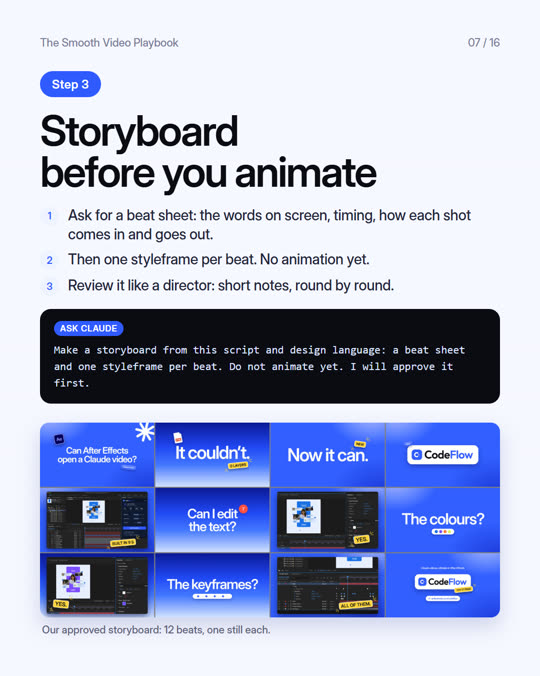
This is the exact process behind a real CodeFlow ad, from a blank page to a smooth MP4, a vertical reel and an editable After Effects project. Every step comes with a prompt you can paste into Claude.
Write the voice-over first. One idea per line.
Collect 8–12 references. Turn them into one design language.
A beat sheet and one still per beat. Approve it before animating.
Record or generate it, then get the word timings.
Claude and the SaaSFlow skill make it smooth, cut to your voice.
Drop the HTML on CodeFlow: real layers, real keyframes.
Steps 1–4 are free and need only Claude. Steps 5–6 are where the SaaSFlow skill and the CodeFlow panel do the heavy lifting.
A peek at 3 of the 16 pages. Every example frame comes from one real 25-second ad, no stock mockups.
One of the checklists from the guide. Keep it open while you review your next video.
16 pages. Read it in 15 minutes, use it on every video after.
Get the free guide and follow it on your next product video.
Get the free guide →